
Skip to content

Step 2 of 5

Edit Mode

Press Tab to remesh the selected cube

Edit mode reshapes what you selected. Object mode moves it whole.

Done — Tutor detected it
Tip: Tutor waits for you. Go at your pace.
Placeholder — this will be a real recording of Tutor guiding your first step.

Learn BlenderInside BlenderLearn Blender inside Blender

Blender might seem complicated and overwhelming, and it can be. But it doesn't have to be. Tutor, the learn to blend addon, is made to help you. It walks you through short, step-by-step exercises, right in Blender's own viewport and shows you how to work the most important: object mode and edit mode. Combine those two, forget about the rest (for now), and off you go.

Get comfortable in Blender at your own pace.

€15 onceNo subscriptionNo internet needed after installBlender 5.1+

Does this sound familiar?

Problem

You fire up a fresh Blender YouTube tutorial, but no matter how slow they go, you still miss half of what they are doing. Click, rewind, wait what? Been there, done that.

Blender is intimidating. So many options, endless features, and a million keyboard shortcuts to reach all of them.

Getting at least an intuition of what is possible is so important, yet every tutorial rushes through it. What you need is one part muscle memory, and one part knowing where what is, what it does, and then actually do it a couple of times to get the hang of it. A video goes on before your hands can learn anything. They work better once you have the foundation, and nobody teaches that part slowly.

Solution

That’s why I built Tutor: a Blender add-on that teaches you real Blender basics. Bundled exercises, small steps, right inside your Blender viewport. Want to try something again? Try it again! Everything at your pace, with extra information at your fingertips.

When you feel confident you can even test yourself with a drill exercise and see if you can break your own record.

Tutor is an add-on built for absolute beginners, based on real teaching experience and what I saw people struggling with when I taught them my BVI courses. So when you press play on that tutorial, you can actually follow along.

Get up and building in two minutes.

Get it, drag it, run it.

Install video: get Blender, download Tutor, drag it in, go. Placeholder — record the 90-second version (beat sheet in docs/video-content-plan.md).
  1. 1

    Install & Start Blender

    Free and open source. Grab the latest from blender.org — it takes a minute.

  2. 2

    Download Tutor

    One small zip. No account needed.

  3. 3

    Drag the zip into Blender

    Drop it anywhere on the Blender window. Blender installs it for you.

  4. 4

    Start your first exercise

    The first card appears in your viewport. Done — you're learning.

€15 once

Every future pack included

Every exercise tested with real beginners

Created by a professional 3D artist

Fab · Sketchfab · notoir.xyz · BVI

How it works

  1. 1

    A card appears in your viewport.

    One instruction per step, with the exact shortcut highlighted. Nothing to search for.

  2. 2

    You do it — your way.

    Menu, shortcut, or toolbar. However you reach the right result, it counts.

  3. 3

    Tutor checks your scene.

    It looks at your work, not your keystrokes. The step lands? The next card appears.

What makes it different

Real-time checking

Tutor looks at your scene, not your keystrokes. Move the object however you like. If it ended up in the right place, you pass.

Progress tracking

Finish an exercise and it stays finished. Come back tomorrow, start where you stopped.

Quizzes

After each topic, prove it without hints. Quizzes run easy to hard, so confidence arrives in steps.

Built by a teacher

Every exercise comes out of classroom sessions with real beginners. If students got stuck on it, the exercise got rewritten.

For teachers and studios

Author your own exercises and hand students a training path shaped to your workflow.

You don't learn to swim by reading about water.

Blender for AI video.

AI video models like Seedance, Kling, and MiniMax H3 can work from a simple Blender scene: a few grey shapes and a keyframed camera. Blender is the control layer — you just point the camera, render out a quick video, the AI does the rest. But you do have to know how to point the camera.

I know that an agent can build a scene for you, but more control never hurts. It's still a good thing to be able to read what was made. Basic Blender knowledge lets you adjust, adapt or add these tiny details that you just can't prompt for. Besides, it's cool to be able to do simple blockouts and camera moves yourself. Tutor teaches the parts you need and skips the parts you don't, so you can start creating videos quickly.

Model the grey box.

Your video tool wants a simple scene — grey shapes, a keyframed camera. That is the entire setup.

Move the camera.

In Blender you decide the angle and the move. The AI follows — no more fighting prompts for the shot you want.

Tutor teaches exactly that.

Navigation, placing objects, moving the camera. The basics the AI-video workflow assumes — nothing more.

Agents are good at Blender now, whether it is OpenAI's Astra, Anthropic's Claude, or open weights models. But making sure you can check what they built, and adjust it when they get it wrong will never get old.

Works with Seedance · Kling · MiniMax H3 (Hailuo) and very likely all upcoming AI video models.

Who it's for

You've opened Blender three times and closed it again.

Tutor starts from nothing. The first lesson assumes you know where the mouse is.

You follow along with tutorials but fall behind.

Build the foundation videos assume you have. Then go back to those tutorials and keep up with them.

You teach Blender or onboard artists.

Package your own exercises. Give your students or new hires training that runs inside the tool they're learning.

Your AI video needs a grey box — and you'd rather not learn 3D software.

Seedance and Higgsfield work from a simple Blender scene: grey shapes, a keyframed camera. Tutor gives you exactly the basics that workflow assumes — nothing more.

Built for students.

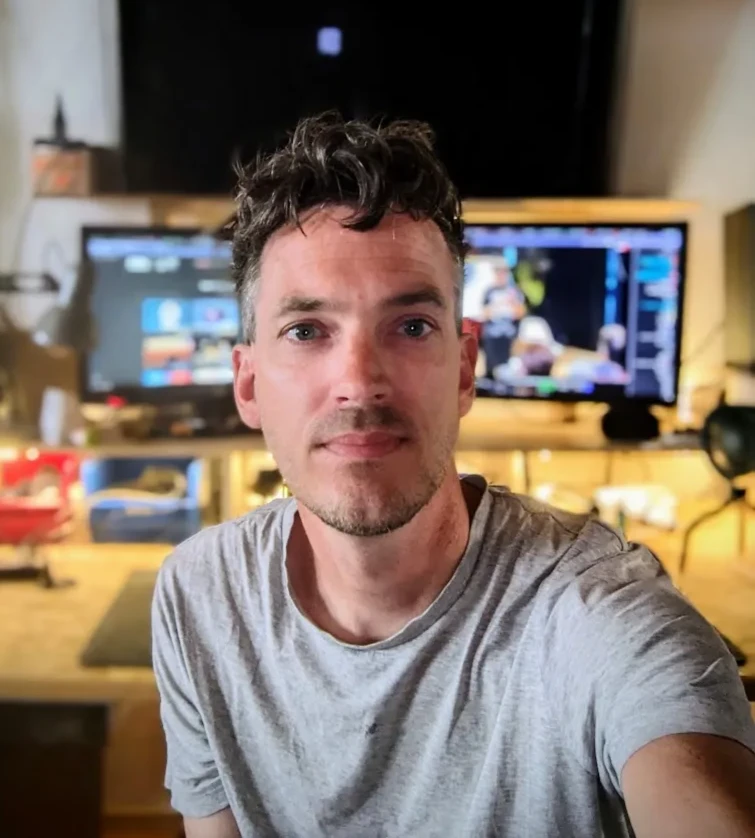
Boudewyn, maker of Tutor

I'm Boudewyn, a 3D artist with 10+ years of Blender experience under my belt. For the last two years I've been teaching Blender to absolute beginners, mainly through the Blender for Visual Investigation platform. That means small groups, where I hear every question and see every mistake.

The same thing kept popping up. Blender is shortcut-heavy, and no matter how much I slowed down in my videos, key overlays flash by in half a second. Students had to pause, rewind, play again. Over and over.

I figured that needed a solution. What if Blender could teach you from within the thing you're trying to learn? So I started building Tutor: writing every exercise, every step, and designing and building the add-on itself. I put a lot of effort into making it as beginner-friendly as I could, and I hope it gets you comfortable in this beautiful piece of software quickly and stress-free. Let me know what you think!

€15 now. €25 when the new packs arrive.

Introductory price

€15

For the price of a pizza, once. It goes to €25 when more exercise packs arrive — buy now and every new pack is included.

  • Built for and used by actual students of Blender
  • Built by someone who cares, teaching, learning and functional design
  • Quality over Quantity
  • The Real Basics of Blender
  • Helps you understand the two main Blender modes needed to start building fast
  • Dedicated versions for Mac or Windows
  • Building Blender Confidence & Fluency

In a way, your purchase supports human rights work.

Tutor funds Blender for Visual Investigation, a free and open platform that allows anyone to learn how to use Blender for documenting and visualizing human rights violations. Every euro made from Tutor goes straight into developing it further.

Questions

How do I install it?

Download one small zip, drag it onto the Blender window, and click Enable. No command line, no account, no config files. Exact steps finalize with the release package.

Which Blender versions does Tutor support?

Blender 5.1 and newer.

Do I need any experience?

None. The first exercise assumes nothing beyond installing Blender itself.

Why pay when YouTube tutorials are free?

Tutorials are great once you can keep up with them. Tutor builds the part they skip: the habits, shortcuts, and interface logic that make videos followable. Think of it as the step before tutorials.

Why should I trust the €15 price?

Don't trust it — test it. The addon runs inside Blender and the intro price is small enough to take a chance on. And you can look at my professional work on Fab and Sketchfab first.

Why does Tutor cost more than other beginner add-ons?

Because, once, it checks your work — other add-ons show you a step without telling you whether you got it right. It also leaves your scene untouched and includes quizzes.

Where does my money go?

Straight into developing Blender for Visual Investigation — the free platform where Boudewyn teaches Blender for documenting human rights violations. Tutor's revenue funds that work; the platform stays free.

Does Tutor record what I do?

No network access, no telemetry, no key logging. It checks the state of your scene after each step. That's all.

Can I use it offline?

Yes, fully, after install.

How do updates work?

Buy once and every new exercise pack is included — blockout and camera basics are next. They arrive as updates in the addon panel, and the price only goes up to €25 for people who join later.

I teach Blender. Can I make my own exercises?

Yes. Tutor includes authoring tools for building custom exercise paths.

I only need a simple grey-box scene for AI video (Seedance, Higgsfield, MiniMax H3). Is this for me?

Yes. Those tools generate from a simple Blender scene: a few grey shapes and a keyframed camera. Tutor teaches exactly that — navigation, placing objects, moving the camera — without the rest of Blender's surface area.

Do I need to be good at Blender to control cameras in AI videos?

No. Most AI-video workflows — Seedance, Higgsfield, MiniMax H3 (Hailuo) and friends — only need a grey-box scene and one keyframed camera. Blender is the control layer: you point the camera, the AI does the rest. Tutor teaches that exact set of skills in short steps, and you can go deeper when you need to.

Start building fast.